Webkms

AI Camera, Sensor & Equipment Automation

Connect your physical operations to intelligent business automation.

Webkms designs and builds custom systems that connect cameras, sensors and equipment to AI agents, dashboards, alerts and the business software you already use.

A camera over a dispatch lane, a runtime signal from a machine, a leak sensor under a water heater: each one records something your team currently checks by hand or finds out about too late. We turn those signals into records, flag the exceptions you define, and push the result into your existing systems.

Webkms-branded on-site AI processing unit mounted in an electrical cabinet
Illustrative system concept: On-site AI processing unit.

How it works

From what happens on site to what your team acts on

Cameras and sensors record activity, on-site processing turns it into events, and the events land in the systems and inboxes you already use.

  • Selected processing can run on site, so counting and detection keep working when the internet is slow.
  • Configured systems can buffer events during an internet outage and send them once the connection is back.
  • Cloud notifications, cloud dashboards and cloud AI features need a working connection.
  • What is recorded, how long video is kept, and what is processed in the cloud are agreed with you during project design. We do not assume everything stays local, and we do not assume it all goes to the cloud.
  1. Step 1

    Cameras and sensors

    Industrial cameras, connected sensors and equipment signals capture what happens on site.

  2. Step 2

    On-site processing

    Edge computing systems run detection and counting locally, close to the camera or machine.

  3. Step 3

    Secure integration

    Events, counts and exceptions are sent over an encrypted connection to the systems you choose.

  4. Step 4

    Dashboards, alerts, reports and AI agents

    Your team sees the numbers, gets the exceptions and can ask an AI agent what happened.

What we do

Designed, integrated and supported by Webkms

We select and configure commercially available hardware, then design, integrate and support the complete system. We do not manufacture the cameras or sensors.

Assessment and solution design

We look at the site, the process and the decisions you want to make, then write down what will be measured, how, and what happens when something is out of line.

Hardware selection and configuration

We specify industrial cameras, connected sensors and edge computing systems that suit the environment, and configure them before they go on site.

Camera and sensor setup

Positioning, lighting, mounting and network checks so the data coming off each device is usable from day one.

Custom detection models where required

When an off-the-shelf model is not good enough for your items, packaging or defects, we train and test one on footage from your site.

Installation planning and coordination

We plan the installation and coordinate it with your team or a local installer. Coverage for your location is confirmed during the assessment.

Business-system integrations

Events become records in your spreadsheets, databases, store, help desk, CRM or maintenance system, matched against the data you already keep.

Dashboards, alerts and automated reports

Live views for the floor, alerts for the exceptions that matter, and summaries delivered to the people who need them.

Ongoing monitoring, maintenance and tuning

We watch device health and accuracy after go-live and retune thresholds or models when your products, layout or lighting change.

Solution areas

What we can build

Each area below describes a problem, an example workflow and the benefit we design for. They are illustrative scenarios, not customer case studies.

Warehouse & Dispatch Monitoring

Carton and pallet counting, dispatch tracking, barcode-linked shipment checks and discrepancy reports

The problem: Short shipments and wrong cartons are found by the customer, days later, with no record of what actually left the dock.

Example workflow

  1. 1.Dispatch activity recorded
  2. 2.Checked against shipment records
  3. 3.Discrepancy flagged
  4. 4.Operations team notified

The benefit: Problems are caught at the dock, while the truck is still there, and every dispute has a record behind it.

Production & Equipment Monitoring

Production counts, machine runtime, downtime, cycle-time trends and shift reports

The problem: Output and downtime are written on a clipboard, if at all, so slow machines and lost hours go unnoticed until they cost real money.

Example workflow

  1. 1.Runtime or downtime recorded
  2. 2.Trend identified
  3. 3.Maintenance task created
  4. 4.Manager receives a summary

The benefit: Measured output and downtime per machine and shift, and maintenance that starts from a trend instead of a breakdown.

Property & Building Monitoring

Leak, temperature, humidity, occupancy and door-status monitoring connected to maintenance workflows

The problem: A leak or a failed heater is found by a tenant, or by the next tenant downstairs, long after a sensor could have caught it.

Example workflow

  1. 1.Leak detected
  2. 2.Manager alerted
  3. 3.Maintenance ticket created
  4. 4.Vendor response and resolution recorded

The benefit: Faster response to building problems, and a record of what happened and who fixed it for every property.

Yard & Quarry Monitoring

Truck arrivals, queue duration, loading-zone activity and reconciliation with scale and dispatch records

The problem: Nobody knows how long trucks wait, which loads were in the loading zone, or why the scale and dispatch numbers disagree.

Example workflow

  1. 1.Truck arrival recorded at the gate
  2. 2.Queue and loading time measured
  3. 3.Matched to scale ticket and dispatch order
  4. 4.Unmatched loads reported

The benefit: Real queue and turnaround times, and loads that reconcile with tickets instead of disappearing between systems.

Visual Quality Inspection

Defined checks for missing labels, incorrect packaging, absent components and visible defects

The problem: Spot checks miss problems between samples, and the first sign of a packaging or labelling error is a return.

Example workflow

  1. 1.Item passes the camera
  2. 2.Checked against the defined rules
  3. 3.Failed item flagged or diverted
  4. 4.Daily quality summary sent

The benefit: Every item checked for the specific faults you define, with images of each failure for review.

Each check is defined and tested on your products. Suitability and accuracy are confirmed during the pilot.

Retail & Queue Analytics

Visitor counts, queue monitoring, staff notifications and aggregate activity reports

The problem: Queues build up before anyone notices, and staffing is planned from gut feel rather than real visitor patterns.

Example workflow

  1. 1.Visitors and queue length counted
  2. 2.Threshold reached
  3. 3.Staff notified to open another till
  4. 4.Weekly traffic report produced

The benefit: Staff are where customers are, and rosters follow measured traffic. Reports use aggregate counts rather than identifying individuals.

On-Site AI Voice Assistants

Reception terminals, information kiosks and voice interfaces connected to business knowledge and workflows

The problem: Front desks are unstaffed at peak times or after hours, and visitors wait for answers that are already written down somewhere.

Example workflow

  1. 1.Visitor asks a question at the terminal
  2. 2.Answer drawn from your business knowledge
  3. 3.Request or check-in logged
  4. 4.Staff notified when a person is needed

The benefit: Visitors get answers and check in without waiting, and staff are called only when they are actually needed.

Built as custom development after a feasibility assessment of your space, hardware and workflows.

Robotics & Custom Hardware Integration

Feasibility assessment and custom vision, sensor and business-software integrations for robotic systems

The problem: Robotic and automated equipment often works in isolation, with no link to the orders, inventory or reports that run the business.

Example workflow

  1. 1.Feasibility assessment of the equipment and goal
  2. 2.Vision or sensor input designed
  3. 3.Integration with business software built
  4. 4.Tested on site before rollout

The benefit: Equipment that responds to, and reports back into, your business systems.

Every robotics project starts with a feasibility assessment. We tell you plainly if it is not a good fit.

Illustrative system concepts

What the hardware side can look like

Concept images of the kind of equipment we specify and brand for a project. They are not photographs of customer installations.

Webkms-branded on-site AI processing unit mounted in an electrical cabinet
On-site AI processing unitIllustrative system concept
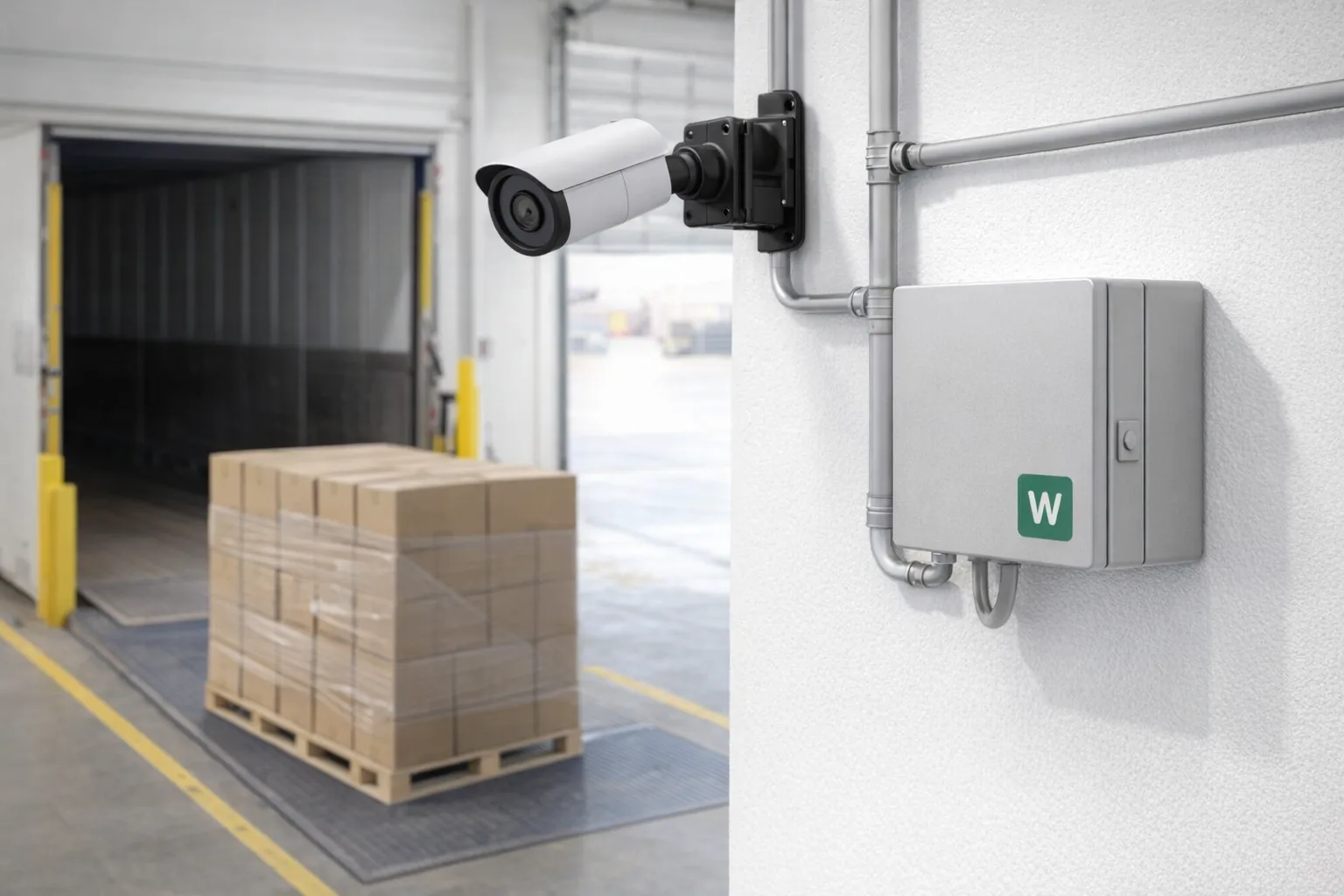
Industrial camera above a warehouse dispatch lane with a Webkms processing enclosure on the wall
Warehouse dispatch camera and processingIllustrative system concept
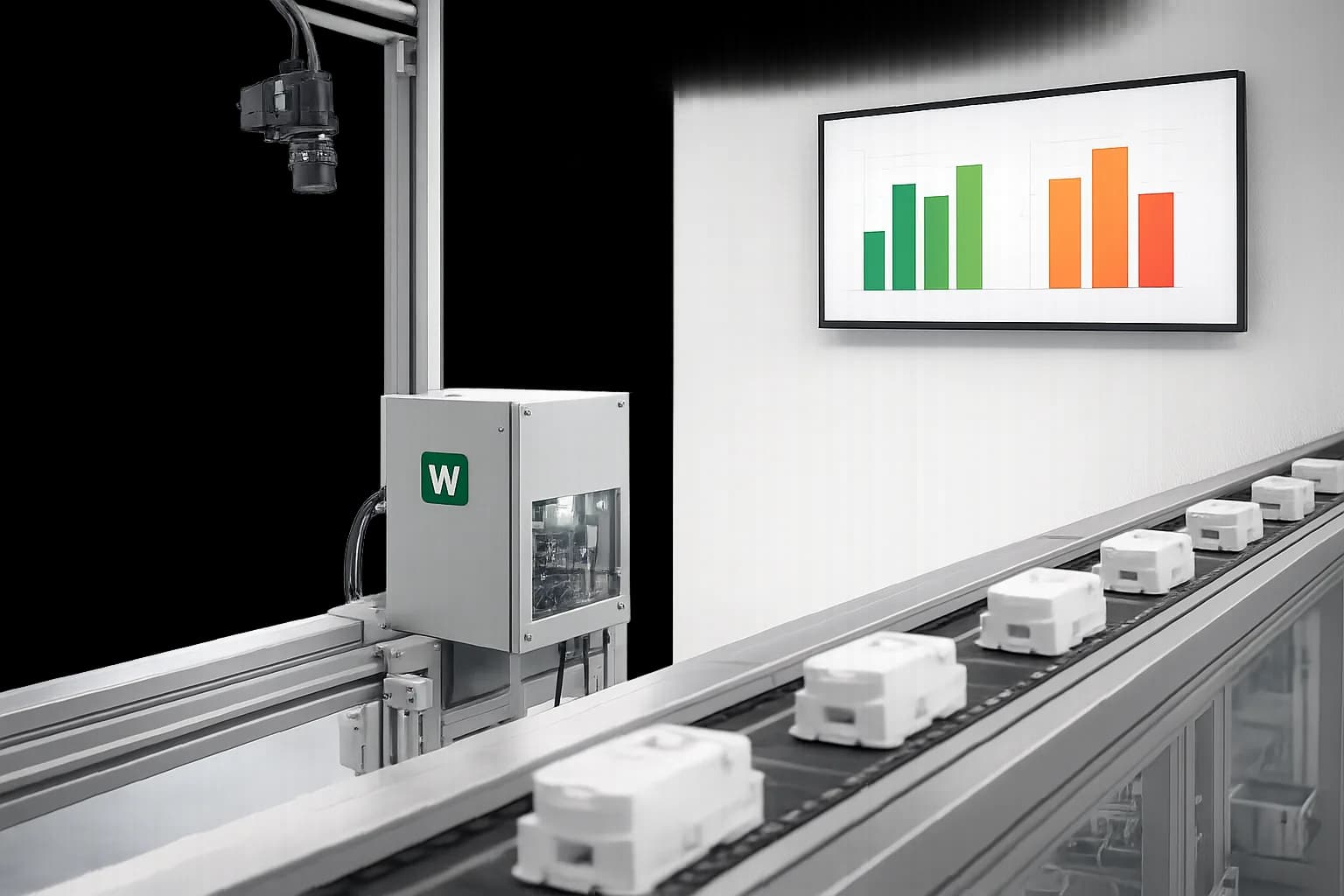
Camera over a production conveyor with a Webkms processing enclosure and a count display
Production monitoringIllustrative system concept
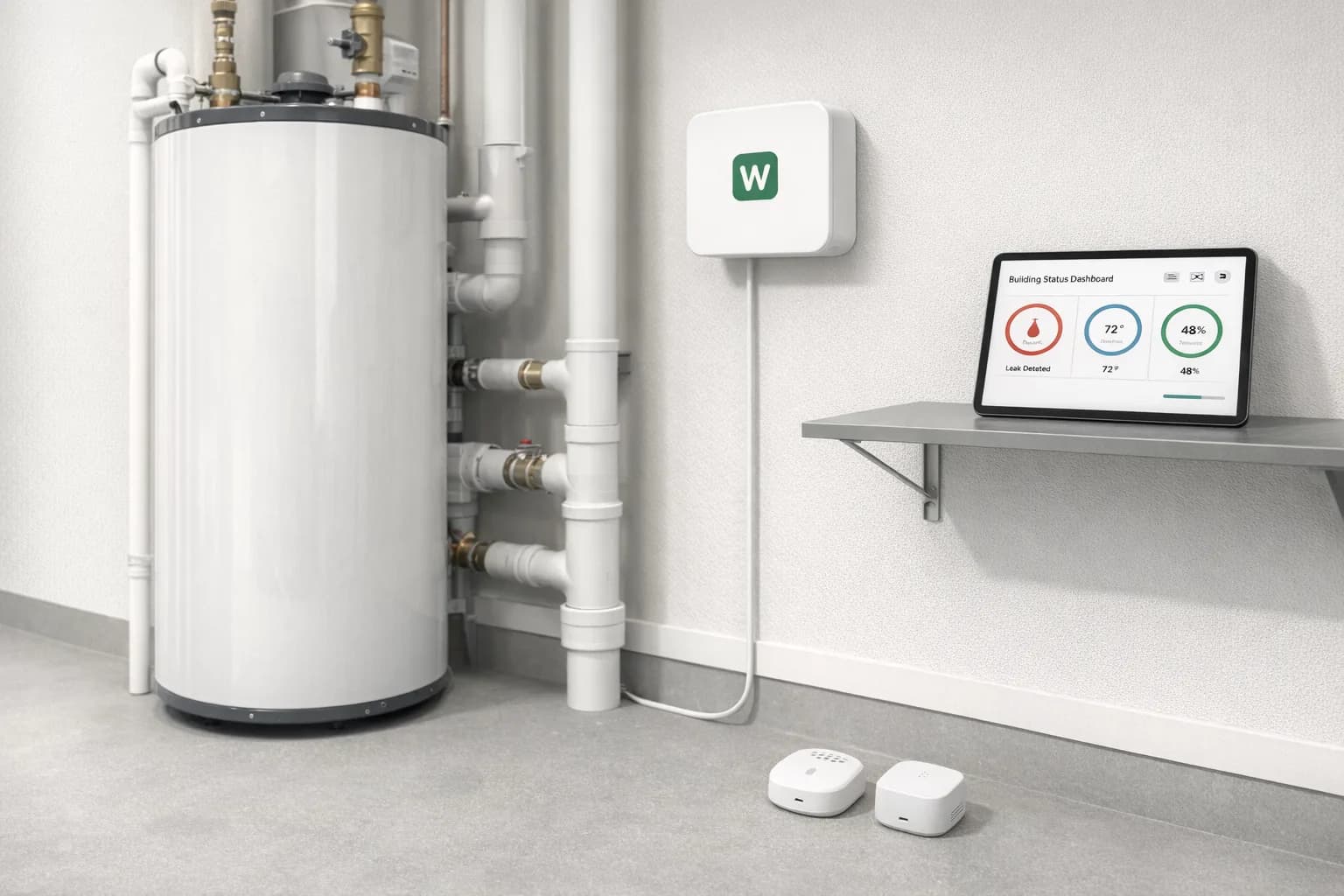
Leak and temperature sensors in a building mechanical room with a Webkms gateway on the wall
Building sensors and gatewayIllustrative system concept
Webkms-branded AI voice terminal in a reception lobby
On-site AI voice terminalIllustrative system concept

Dashboards and alerts

The numbers, and only the exceptions that matter

A mock dispatch dashboard. Every figure is demonstration data.

Dispatch overview

Demonstration data
Cartons shipped
412
Shipments checked
37
Discrepancies
2
Dock 2 idle time
48 min

Cartons per hour

Flagged exceptions

  • 11:42Order 10482: 11 cartons scanned, 12 on packing slip
  • 2:17Order 10519: carton without a readable label

AI agents

Ask what happened, in plain language

Recorded events are stored as operational data, so an AI agent can look them up and summarise them for you.

“How many cartons shipped today, and were any discrepancies flagged?”

412 cartons left the dispatch lanes today across 37 shipments. Two shipments were flagged: order 10482 was scanned with 11 cartons against 12 on the packing slip, and order 10519 had a carton with no readable label. Both are in the discrepancy report sent to the operations inbox at 3:00 pm.

Illustrative example with demonstration data. The agent answers from the operational records the system has stored, not from guesses.

Integrations

Connected to the software you already run

Standard integrations use the product's own API or files. Anything marked custom development is built and tested for your project, and its scope depends on what the other system exposes.

  • Shopify

    Orders, fulfilments and inventory through the Shopify API

    Standard integration
  • Google Workspace

    Sheets, Gmail, Calendar and Drive

    Standard integration
  • Spreadsheets

    Google Sheets or Excel files and exports

    Standard integration
  • Databases

    Postgres, SQL Server, MySQL and similar, read or write

    Standard integration
  • Help desks

    Tickets created or updated through the help desk API

    Standard integration
  • CRM

    Records and tasks through the CRM API, where one is available

    Custom development
  • Maintenance systems

    Work orders in your maintenance or CMMS software, usually a custom integration

    Custom development
  • Scale, dispatch and ERP systems

    Depends on what the system exposes; often a custom integration or a scheduled export

    Custom development

Process

Assessment, pilot, installation, support

  1. 1

    Assessment

    A site walk or video call, sample footage or data, and a written scope: what is measured, what counts as an exception, where results go.

  2. 2

    Pilot

    One lane, machine or building first. We compare system output with manual counts or existing records and agree the accuracy that is acceptable.

  3. 3

    Installation

    Once the pilot meets the agreed targets, we plan the wider rollout and coordinate installation with your team or local installers.

  4. 4

    Support

    Monitoring, maintenance and tuning under a monthly support plan, with changes made as your operation changes.

Focused pages

Start with the problem closest to yours

Pricing

Every project is quoted individually. Cost depends on the hardware, installation, any custom development, the integrations you need and the level of ongoing support. We do not sell fixed packages for this work.

Ask for a quote

Questions we get asked

Do you make the cameras and sensors?

No. We select commercially available industrial cameras, sensors and edge computing systems that suit your site, then design, configure, integrate and support the complete system under the Webkms name.

Have you already installed this for other businesses?

These are custom development services. Every project starts with an assessment and a pilot at your site, and the examples on this page are illustrative scenarios, not customer case studies.

How accurate will it be?

It depends on the task, the items, the lighting and the camera position. Simple counting in a controlled lane is usually straightforward. Measuring dimensions, spotting defects or estimating weight needs testing and calibration, and we agree the accuracy target with you during the pilot.

Does all the video stay on site?

Not necessarily. Some processing can run on site, but cloud dashboards, notifications and cloud AI features need data to leave the building. We agree what is recorded, how long it is kept and where it is processed during project design.

Do you install in my area?

We plan and coordinate installation and confirm coverage for your location during the assessment, before you commit to a rollout.

How much does it cost?

Each project is quoted individually. Cost depends on the hardware, installation, any custom model development, the integrations you need and the level of ongoing support.

Tell us what you want to see, count or catch

Describe the process, the site and the software you use today. We will tell you what is realistic, what needs a pilot, and what it would take to build.